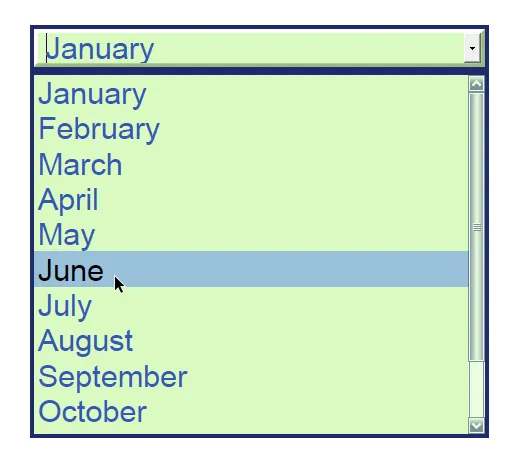
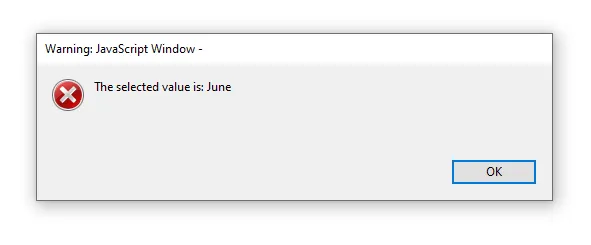
Form fields
The iDRS has the notion of form field, and allows several operations around it:
- You can add and edit form fields in a
CPageContentobject - During OCR processing, you can detect empty form fields, and automatically add candidates found in the
CPageContentobject - Form fields can be added to the output PDF documents
Form field types
Section titled “Form field types”The following form field types are supported:
| Field type | Detection1 | Edition | PDF output |
|---|---|---|---|
| Text | ✔ | ✔ | Text field (+ multiline flag if multiline) |
| Combed text | ✔ | ✔ | Text field - Comb |
| Password text | ✘ | ✔ | Text field - Password |
| Check box | ✔ | ✔ | Button field - Check box |
| Radio button | ✘ | ✔ | Button field - Radio button |
| Dropdown | ✘ | ✔ | Choice field - Combo box (+ editable flag if editable) |
| List box | ✘ | ✔ | Choice field - Scrollable list box |
1 The detection feature can only find empty form fields, i.e. those that do not contain any written data. Form fields containing an existing value will NOT be detected.
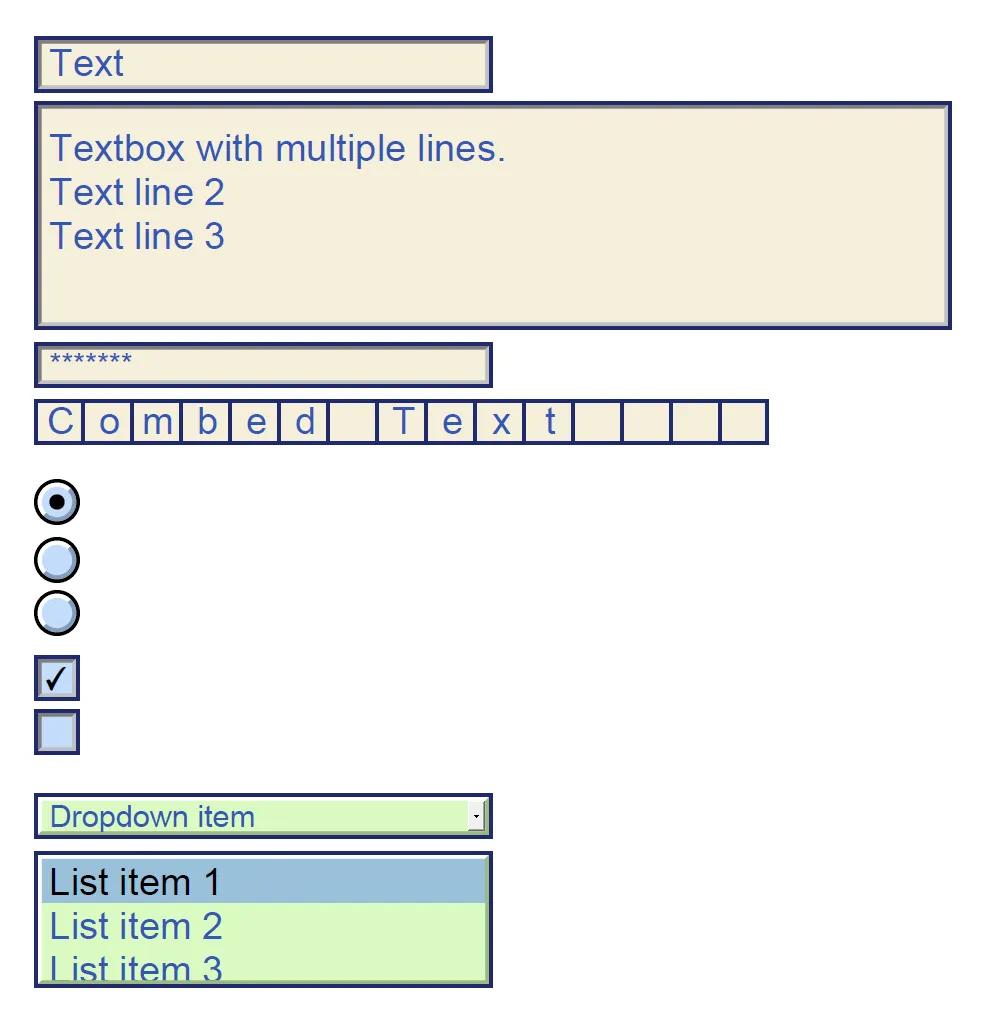
Image 1. Field types
Detecting
Section titled “Detecting”The new property COcrPageParams.DetectEmptyFormFields allows to activate the detection of form fields during character recognition.
The detection results are available in the CPageInteractiveForm instance of the CPage content.
Editing
Section titled “Editing”The class CPageInteractiveForm handles form fields.
It allows you to set or update the default form style via the CPageInteractiveForm.DefaultFieldStyle property, and the form fields themselves via the CPageInteractiveForm.FormFields property.
This class is accessible using the property CPageMetadata.InteractiveForm.
Output
Section titled “Output”If the CPage objects in the document to be created contain form fields AND the output type is PDF, then they will be added to the output.
Other formats do not yet support this feature; this possibility may be added in a future release, depending on business needs.
Code Snippets
Section titled “Code Snippets”Forms detection
Section titled “Forms detection”/* Load the source image into the CPage object */CIDRS objIdrs = CIDRS::Create();CImageIO objImageIO = CImageIO::Create(objIdrs);CPage objPage = objImageIO.LoadPage("path/to/image");
/* Setup the OCR context and enable the forms detection */COcrContext objOcrContext = COcrContext::Create(Language::English);
/* Setup the page recognition */COcrPageParams objOcrPageParams = COcrPageParams::Create(objOcrContext);objOcrPageParams.SetDetectEmptyFormFields(IDRS_TRUE);CTextRecognition objTextRecognition = CTextRecognition::Create(objIdrs, objOcrPageParams);
/* Execute the page recognition */objTextRecognition.RecognizeText(objPage);
/* Check whether form fields have been detected */CPageInteractiveForm objInteractiveForm = objPage.GetPageContent().GetMetadata().GetInteractiveForm();CFormFieldArray xobjFormFields = objInteractiveForm.GetFormFields();
if (xobjFormFields.GetCount() > 0){ /* loop through the detected fields */ for (IDRS_UINT uiIndex = 0; uiIndex < xobjFormFields.GetCount(); uiIndex++) { CFormField objFormField = xobjFormFields.GetAt(uiIndex);
/* Specific processing based on detected field type */ if (objFormField.GetFormFieldType() == FormFieldType::Text) { CFormTextField objTextField = objFormField; IDRS_RECT rcBoundingBox = objTextField.GetBoundingBox();
printf("Text field detected with bounding box (%d,%d,%d,%d)\n", rcBoundingBox.iLeft, rcBoundingBox.iTop, rcBoundingBox.iRight, rcBoundingBox.iBottom); } }}else{ printf("No form field detected on the page\n");}/* Load the source image into the CPage object */CIDRS objIdrs = new CIDRS();
CImageIO objImageIO = new CImageIO(objIdrs);CPage objPage = objImageIO.LoadPage("myimage");
/* Setup the OCR context and enable the forms detection */COcrContext objOcrContext = new COcrContext(Language.English);
/* Setup the page recognition */COcrPageParams objOcrPageParams = new COcrPageParams(objOcrContext);objOcrPageParams.DetectEmptyFormFields = true;CTextRecognition objTextRecognition = new CTextRecognition(objIdrs, objOcrPageParams);
/* Execute the page recognition */objTextRecognition.RecognizeText(objPage);
/* Check whether form fields have been detected */CPageInteractiveForm objInteractiveForm = objPage.PageContent.Metadata.InteractiveForm;CIDRSObjArray<CFormField> xFieldsArray = objInteractiveForm.FormFields;
if (xFieldsArray.Count > 0){ /* loop through the detected fields */ for (int iIndex = 0; iIndex < xFieldsArray.Count; iIndex++) { CFormField objFormField = xFieldsArray[iIndex];
/* Specific processing based on detected field type */ if (objFormField.FormFieldType == FormFieldType.Text) { CFormTextField objTextField = (CFormTextField)objFormField; CIDRSRect rcBoundingBox = objTextField.BoundingBox;
Console.Out.WriteLine("Text field detected with bounding box (" + rcBoundingBox.Left + "," + rcBoundingBox.Top + "," + rcBoundingBox.Right + "," + rcBoundingBox.Bottom + ")"); } }}else{ Console.Out.WriteLine("No form field detected on the page\n");}Forms detection, update default style, and create the output
Section titled “Forms detection, update default style, and create the output”/* Load the source image into the CPage object */CIDRS objIdrs = CIDRS::Create();CImageIO objImageIO = CImageIO::Create(objIdrs);CPage objPage = objImageIO.LoadPage("path/to/image");
/* Setup the OCR context and enable the forms detection */COcrContext objOcrContext = COcrContext::Create(Language::English);
/* Setup the page recognition */COcrPageParams objOcrPageParams = COcrPageParams::Create(objOcrContext);objOcrPageParams.SetDetectEmptyFormFields(IDRS_TRUE);CTextRecognition objTextRecognition = CTextRecognition::Create(objIdrs, objOcrPageParams);
/* Execute the page recognition */objTextRecognition.RecognizeText(objPage);
/* Create a default style to be applied to the form */CFormFieldStyle objDefaultStyle = CFormFieldStyle::Create();IDRS_COLOR stBackGroundColor = { 255, 243, 197 };objDefaultStyle.SetBackgroundColor(stBackGroundColor);objDefaultStyle.SetBorderStyle(FormFieldBorderStyle::Inset);objDefaultStyle.SetBorderWidth(1);
/* Get the interactive form and redefine the default style */CPageInteractiveForm objIntercativeForm = objPage.GetPageContent().GetMetadata().GetInteractiveForm();objIntercativeForm.SetDefaultFieldStyle(objDefaultStyle);
/* Create the output */CDocumentWriter objDocumentWriter = CDocumentWriter::Create(objIdrs);CPdfOutputParams objPdfOutputParams = CPdfOutputParams::Create(PdfVersion::Pdf17, PageDisplay::TextAndGraphics);objDocumentWriter.SetOutputParams(objPdfOutputParams);objDocumentWriter.Save("path/to/output", &objPage, 1);/* Load the source image into the CPage object */CIDRS objIdrs = new CIDRS();CImageIO objImageIO = new CImageIO(objIdrs);CPage objPage = objImageIO.LoadPage("myimage");
/* Setup the OCR context and enable the forms detection */COcrContext objOcrContext = new COcrContext(Language.English);
/* Setup the page recognition */COcrPageParams objOcrPageParams = new COcrPageParams(){ Context = objOcrContext, DetectEmptyFormFields = true};CTextRecognition objTextRecognition = new CTextRecognition(objIdrs, objOcrPageParams);
/* Execute the page recognition */objTextRecognition.RecognizeText(objPage);
/* Create a default style to be applied to the form */CFormFieldStyle objDefaultStyle = new CFormFieldStyle();CIDRSColor stBackgroundColor = new CIDRSColor(255, 243, 197);objDefaultStyle.BackgroundColor = stBackgroundColor;objDefaultStyle.BorderStyle = FormFieldBorderStyle.Inset;objDefaultStyle.BorderWidth = 1;
/* Generate the interactive form and redefine the default style */CPageInteractiveForm objInteractiveForm = objPage.PageContent.Metadata.InteractiveForm;objInteractiveForm.DefaultFieldStyle = objDefaultStyle;
/* Create the output */CDocumentWriter objDocumentWriter = new CDocumentWriter(objIdrs);CPdfOutputParams objPdfOutputParams = new CPdfOutputParams(PdfVersion.Pdf17, PageDisplay.TextAndGraphics);objDocumentWriter.OutputParams = objPdfOutputParams;objDocumentWriter.Save("Output.pdf", new List<CPage>() { objPage }.ToArray());
Image 2. Binarized output styled
Create and add a Form field
Section titled “Create and add a Form field”/* Create and set the default style for the fields */CFormFieldStyle objDefaultStyle = CFormFieldStyle::Create();IDRS_COLOR stBackGroundColor = { 213, 250, 255 };objDefaultStyle.SetBackgroundColor(stBackGroundColor);objDefaultStyle.SetBorderStyle(FormFieldBorderStyle::Inset);
/* Get the interactive form and set the default style */CPageInteractiveForm objIntercativeForm = objPage.GetPageContent().GetMetadata().GetInteractiveForm();objIntercativeForm.SetDefaultFieldStyle(objDefaultStyle);
/* Create a new field */IDRS_RECT rcBoundingBox = { 100, 100, 500, 50 };CFormTextField objTextField = CFormTextField::Create();objTextField.SetBoundingBox(rcBoundingBox);objTextField.SetName("MyTextField");objTextField.SetMaxLength(20);objTextField.SetValue("The value");
/* Append the new field to the interactive form */CFormFieldArray xFieldsArray = objIntercativeForm.GetFormFields();xFieldsArray.AddTail(objTextField);/* Create and set the default style for the fields */CFormFieldStyle objDefaultStyle = new CFormFieldStyle();CIDRSColor stBackgroundColor = new CIDRSColor(213, 250, 255);objDefaultStyle.BackgroundColor = stBackgroundColor;objDefaultStyle.BorderStyle = FormFieldBorderStyle.Inset;
/* Get the interactive form and set the default style */CPageInteractiveForm objIntercativeForm = objPage.PageContent.Metadata.InteractiveForm;objIntercativeForm.DefaultFieldStyle = objDefaultStyle;
/* Create a new field */CIDRSRect rcBoundingBox = new CIDRSRect( 100, 100, 500, 50 );CFormTextField objTextField = new CFormTextField();objTextField.BoundingBox = rcBoundingBox;objTextField.Name = "MyTextField";objTextField.MaxLength = 20;objTextField.Value = "The value";
/* Append the new field to the interactive form */CIDRSObjArray<CFormField> xFieldsArray = objIntercativeForm.FormFields;xFieldsArray.Add(objTextField);Set a Form action when the drop-down list loses the focus
Section titled “Set a Form action when the drop-down list loses the focus”/* Create the Dropdown field */CFormDropdownField objDropDrownMonth = CFormDropdownField::Create();objDropDrownMonth.SetName("Month of birth");objDropDrownMonth.SetBoundingBox(rcBoundingBox);
/* Set a form action when the dropdown list loses the focus */CFormJavaScriptAction objFormActionShowValue = CFormJavaScriptAction::Create();IDRS_CSTR strScript = "var objField = this.getField( \"Month of birth\" );\n" \ "app.alert( \"The selected value is: \" + objField.value );";objFormActionShowValue.SetScript(strScript);objDropDrownMonth.SetFormAction(FormFieldEventType::OnBlur, objFormActionShowValue);/* Create the Dropdown field */CFormDropdownField objDropDrownMonth = new CFormDropdownField();objDropDrownMonth.Name = "Month of birth";objDropDrownMonth.BoundingBox = rcBoundingBox;
/* Set a form action when the dropdown list loses the focus */CFormJavaScriptAction objFormActionShowValue = new CFormJavaScriptAction();string strScript = "var objField = this.getField( \"Month of birth\" );\n" + "app.alert( \"The selected value is: \" + objField.value );";objFormActionShowValue.Script = strScript;objDropDrownMonth.SetFormAction(FormFieldEventType.OnBlur, objFormActionShowValue);